
Smartsheet Services
Connect Smartsheet to the systems your team already uses.
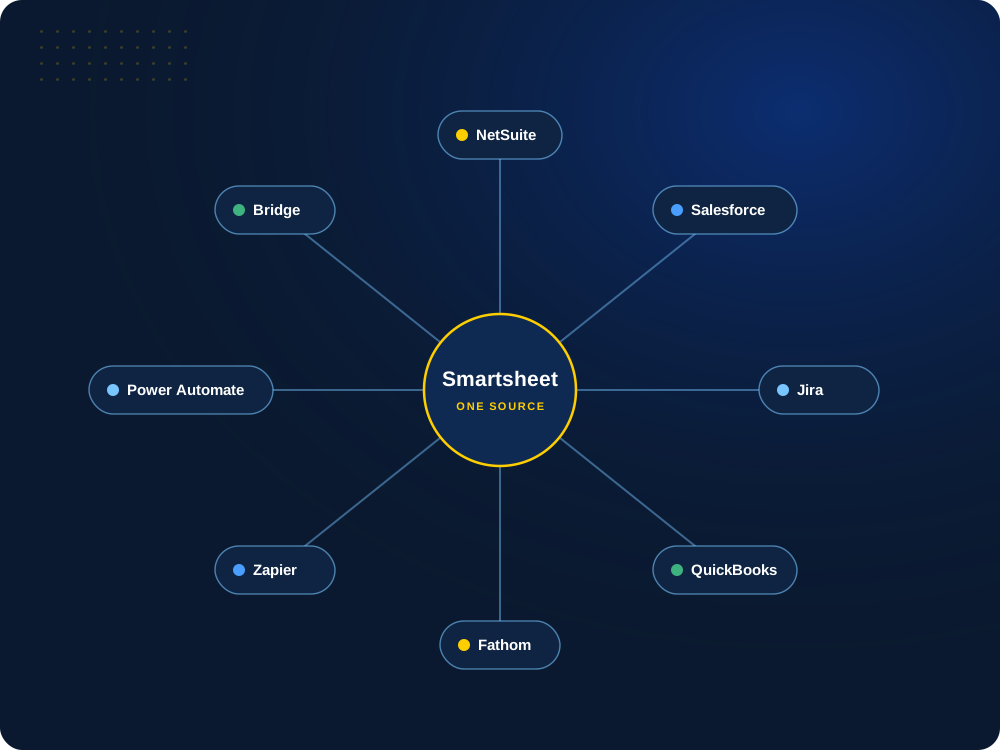
We connect Smartsheet to NetSuite, Salesforce, Jira, QuickBooks, Fathom and more, using native connectors, Smartsheet Bridge and integration platforms, so information moves without duplicate entry.

Still copying data between systems?
Tell us which tools you use. We’ll map where data should flow and the simplest way to connect it.
Systems We Connect
Smartsheet plus the tools you already run.
Native connectors, Smartsheet Bridge, integration platforms or custom APIs. We pick the approach that fits your systems and your budget.

 Bridge




 Power Automate
And there’s even more.
Smartsheet also works with Microsoft 365, Teams, Slack, Google Workspace, Power BI, Tableau, DocuSign and more, and custom APIs cover the rest. Don’t see your system? Let’s have a conversation.
What We Connect
Six ways we connect Smartsheet.
From our own NetSuite integration to native connectors and integration platforms.
01
NetSuite Integration
Our NetSuite and Smartsheet integration
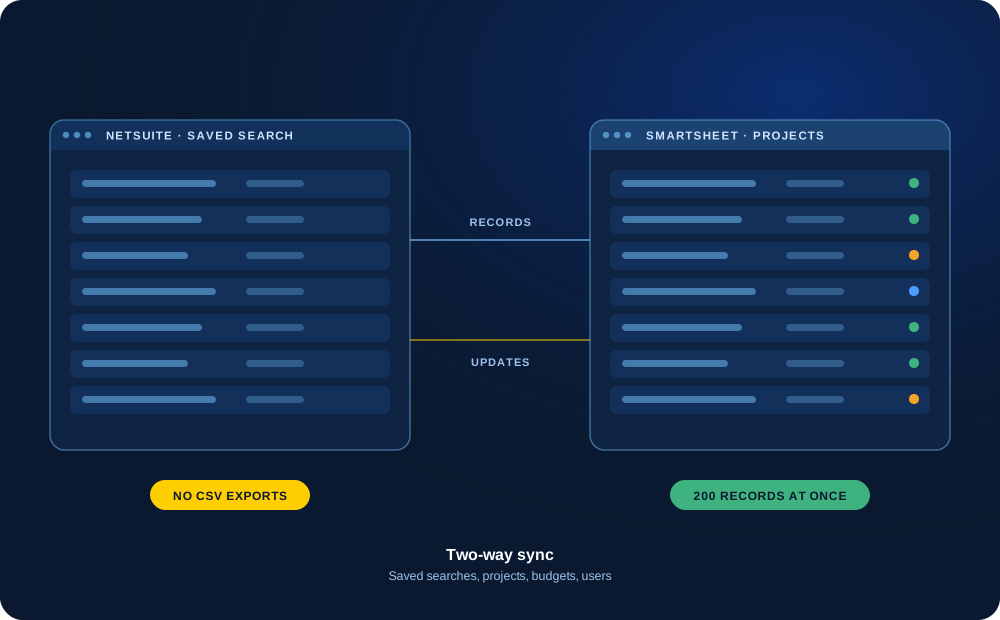
Built by TCC, it syncs saved searches, projects, budgets, estimates, invoices and employee records between NetSuite and Smartsheet, so teams stop exporting CSVs and re-keying data.
Update 200 NetSuite records at once from Smartsheet, combine several saved searches into one sheet, and add users to Smartsheet straight from the employee record.
Saved searches
Mass updates
User management
Two-way sync
02
Smartsheet Bridge
Custom logic between systems
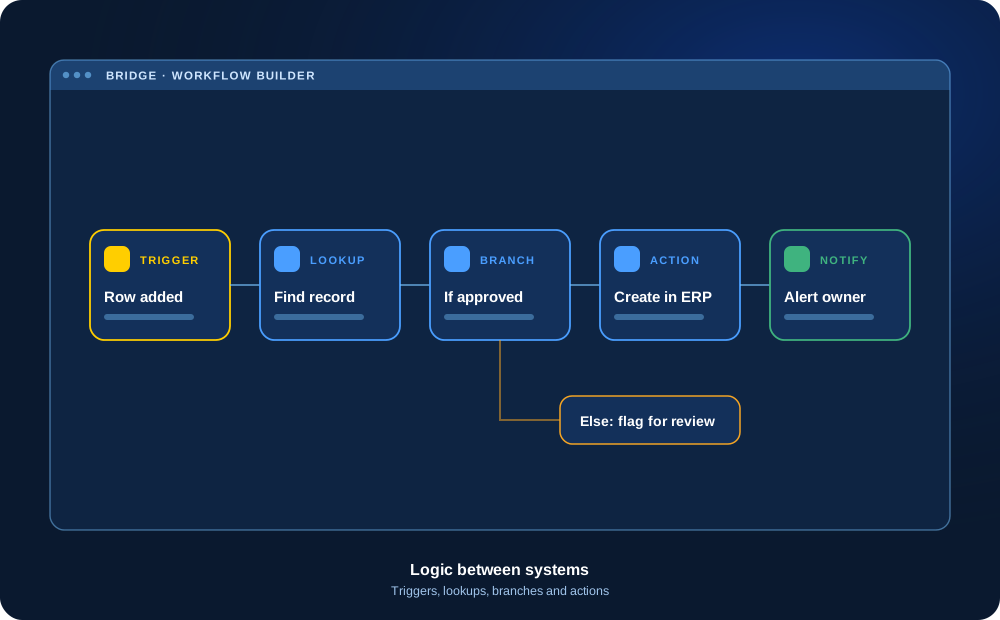
Bridge by Smartsheet runs workflows with triggers, lookups, branches and actions, so data moves and decisions happen without someone doing it by hand.
We design, build and document Bridge workflows, then support them as your process changes.
Triggers
Lookups
Branching
Documented
03
Native Connectors
Salesforce and Jira, connected
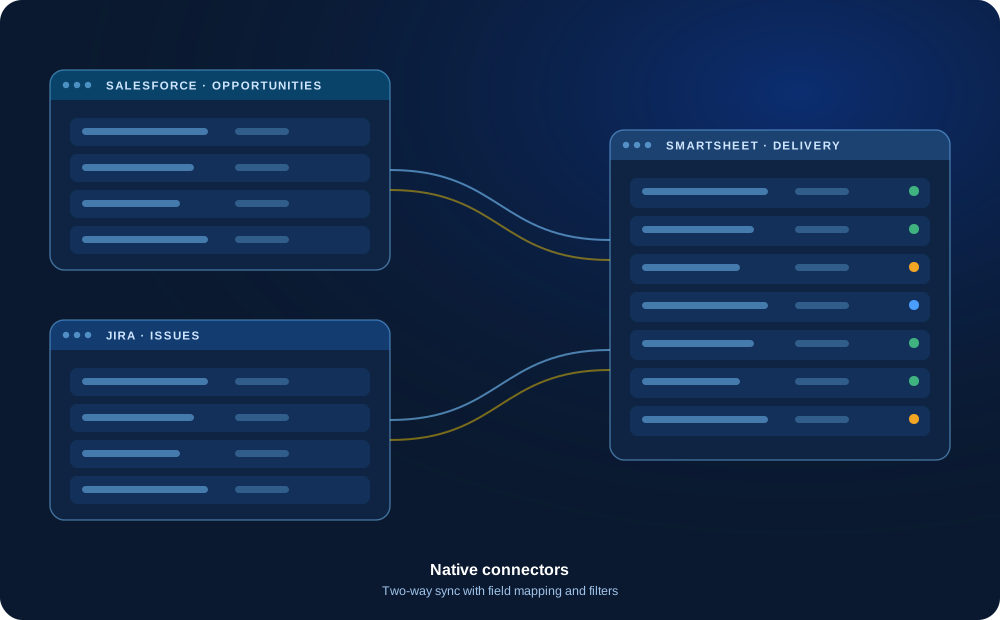
Smartsheet offers connectors for Salesforce and Jira that keep records in sync. Sales hands off cleanly to delivery, and engineering work shows up in project plans.
We set up field mapping, filters and sync direction so each team keeps working in the tool it knows.
Salesforce
Jira
Field mapping
Two-way
04
Fathom
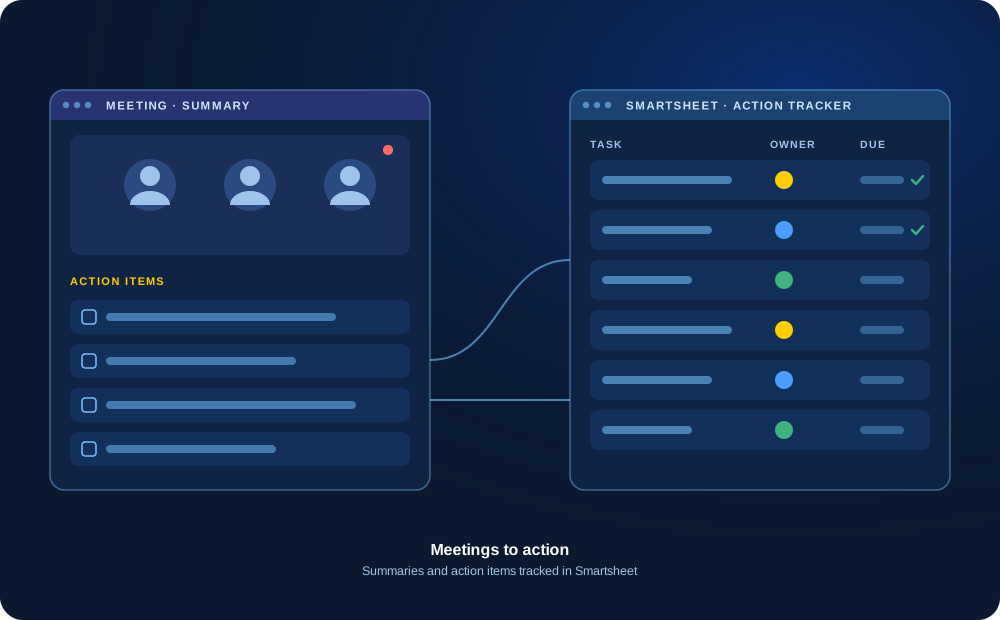
Meeting notes that turn into action
We bring Fathom meeting minutes and action items into Smartsheet, so every follow-up has an owner and a due date and nothing gets lost after the call.
Track open action items across clients and projects, and report on what is still outstanding.
Meeting minutes
Action items
Owners
Tracked
05
QuickBooks
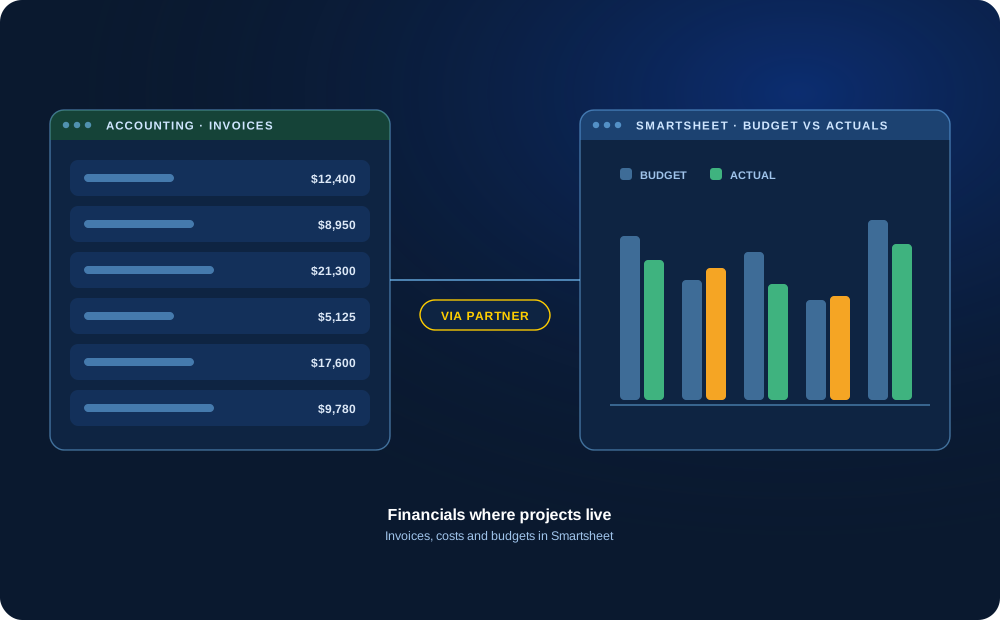
Financials where projects live
Through trusted integration partners, we connect QuickBooks with Smartsheet so invoices, costs and budgets sit next to project work.
Project managers see budget versus actuals without waiting on accounting for a report.
Invoices
Costs
Budgets
Via partners
06
Integration Platforms
Zapier, Power Automate and more
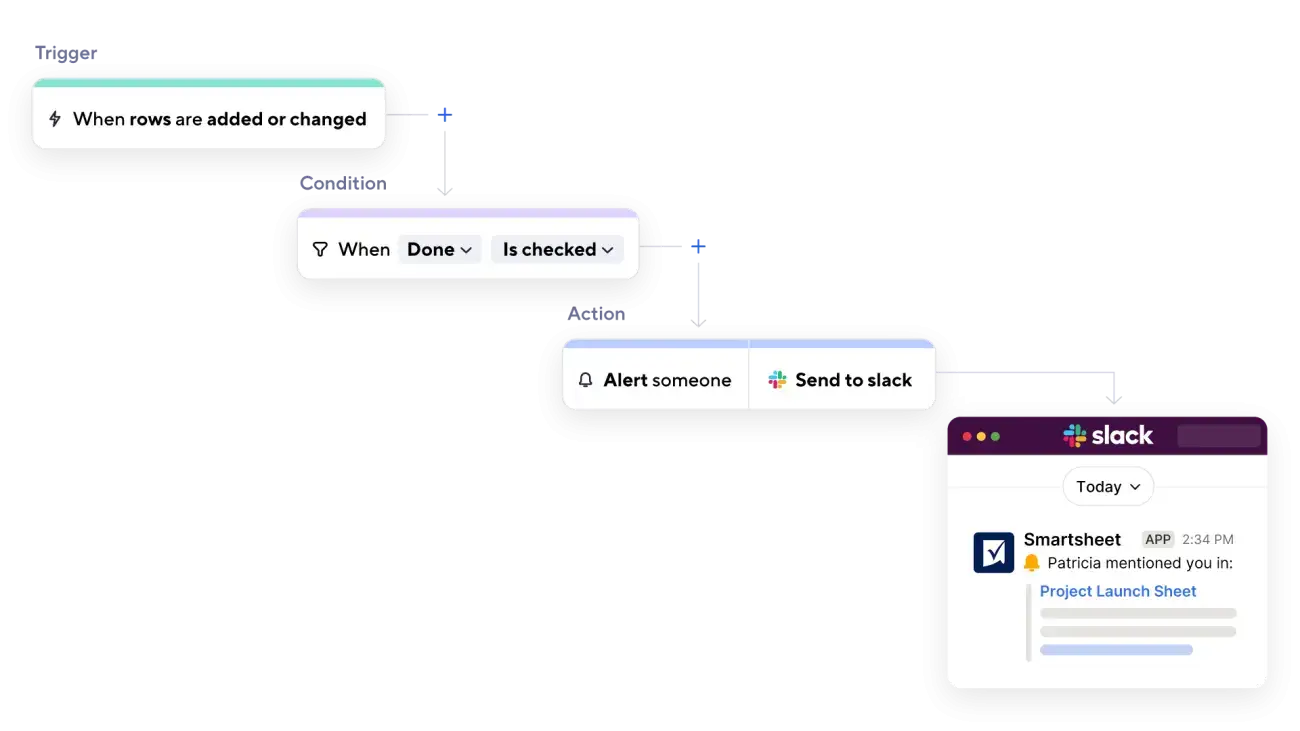
When there is no native connector, we use integration platforms such as Zapier and Microsoft Power Automate to move data and trigger workflows between Smartsheet and hundreds of other apps.
We use the platform you already own when it can do the job, and build in error handling and alerts.
Zapier
Power Automate
Error alerts
Low-code
Running NetSuite and Smartsheet side by side?
See how our integration removes CSV exports and duplicate entry between the two.
Client Story
NetSuite and Smartsheet, working as one.
Results from a TCC client engagement using our NetSuite and Smartsheet integration.
How We Approach Integrations
Planned, tested and easy to support.
Depending on the systems involved, the right approach might be a native connector, Smartsheet Bridge, an integration platform or a custom API integration. We choose based on your requirements, not the other way around.
Integration Discovery
Understand the systems, the data and the process the integration needs to support.
Data Ownership
Decide which system owns each piece of data and where changes should be made.
Field Mapping
Match up fields between systems, including formats, dropdown values and required fields.
Triggers
Define what starts a sync or workflow, such as a new record, a status change or a schedule.
Exception Handling
Plan for what happens when data is missing, invalid or out of sync.
Security
Use appropriate access, credentials and permissions for each connected system.
Testing
Test with real scenarios, including unusual cases, before going live.
Support
Documentation and ongoing help to keep the integration running as systems change.
Before We Connect Anything
Decide which system has the final say, and what moves where.
Most integration problems come from unclear rules, not technology. If two systems can both change the same data, the question of which one wins needs an answer before anything is connected.
We work through these decisions with your team first, then build the integration around them. Possible platforms include NetSuite, Jira, Microsoft tools, APIs, Smartsheet Bridge and integration platforms, depending on what fits.
Decide which system has the final say for each type of data.
Define what should move in each direction, and what should not move at all.
Agree on how often data should sync and what triggers it.
Plan how errors and conflicts are flagged and who resolves them.
Confirm who owns the integration and how changes will be made later.
How We Work
A clear, collaborative process.
01
Discover
Understand the systems, the data and the process.
02
Design
Decide which system has the final say, how fields match up, what starts a sync and how errors are handled.
03
Build & Test
Build the integration and test it against real scenarios.
04
Launch & Support
Go live with documentation and ongoing support.
Related Services
Services that work well together.
Implementation & Solution Design
Design and build Smartsheet solutions tailored to your processes, people and goals.
Optimization & Health Checks
Clean up, streamline and improve your existing Smartsheet environment.
Managed Services & Support
Get ongoing help, enhancements and advisory support as your needs evolve.
Next Step
Let’s connect your tools.
Tell us which systems you use and where information gets copied by hand. We’ll help you plan the right connection.