
Who We Help · PMOs & Project Teams
See every project in one place.
Every project starts from the same template, requests come in one way and leaders see live status, so project managers stop building status slides.
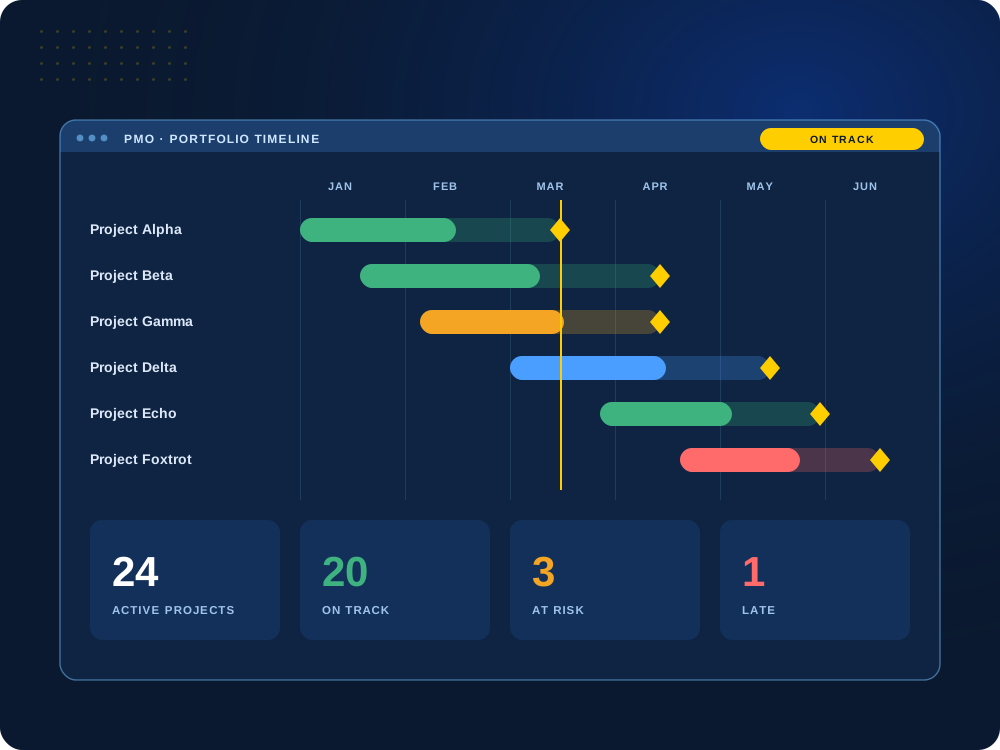

Projects piling up faster than you can report on them?
We’ll show you how one standard setup gives leaders live status without extra work.
The Problem We Solve
Every project built differently means no clear picture.
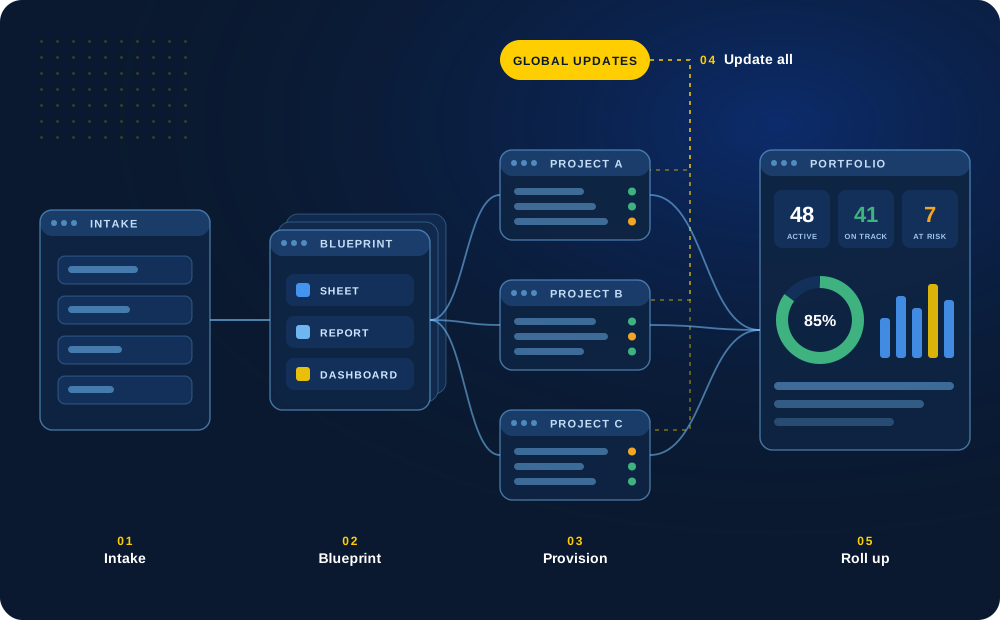
When each project manager sets up their own sheets, reporting turns into a weekly scramble and leaders never see the full portfolio.
We give your PMO a standard way to launch, run and report on projects, so the big-picture report fills itself in.
What We Build for PMOs
Everything a PMO needs as projects pile up.
From the first request to the final status report.
01
Project Templates
Launch every project the same way
Standard project plans with the sheets, reports and dashboards each project type needs, built so the numbers combine into one report.
Project managers start fast, and leaders compare apples to apples.
Templates
Gantt
Dependencies
Standard

02
Intake & Prioritization
Decide what gets done, and in what order
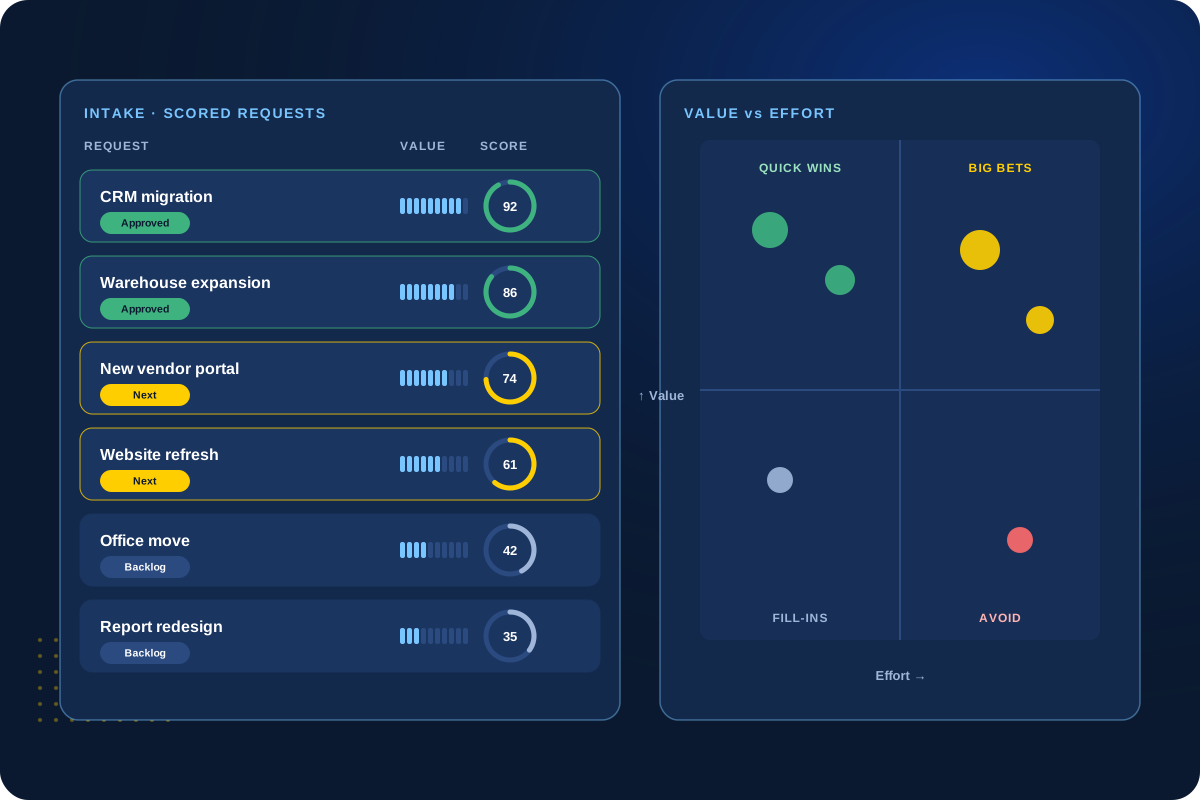
One request form collects the same details for every new project, so leadership can score, prioritize and approve them.
Approved requests turn into projects without retyping.
Intake
Scoring
Approval
Pipeline
03
Resource Planning
Know who is available before you commit
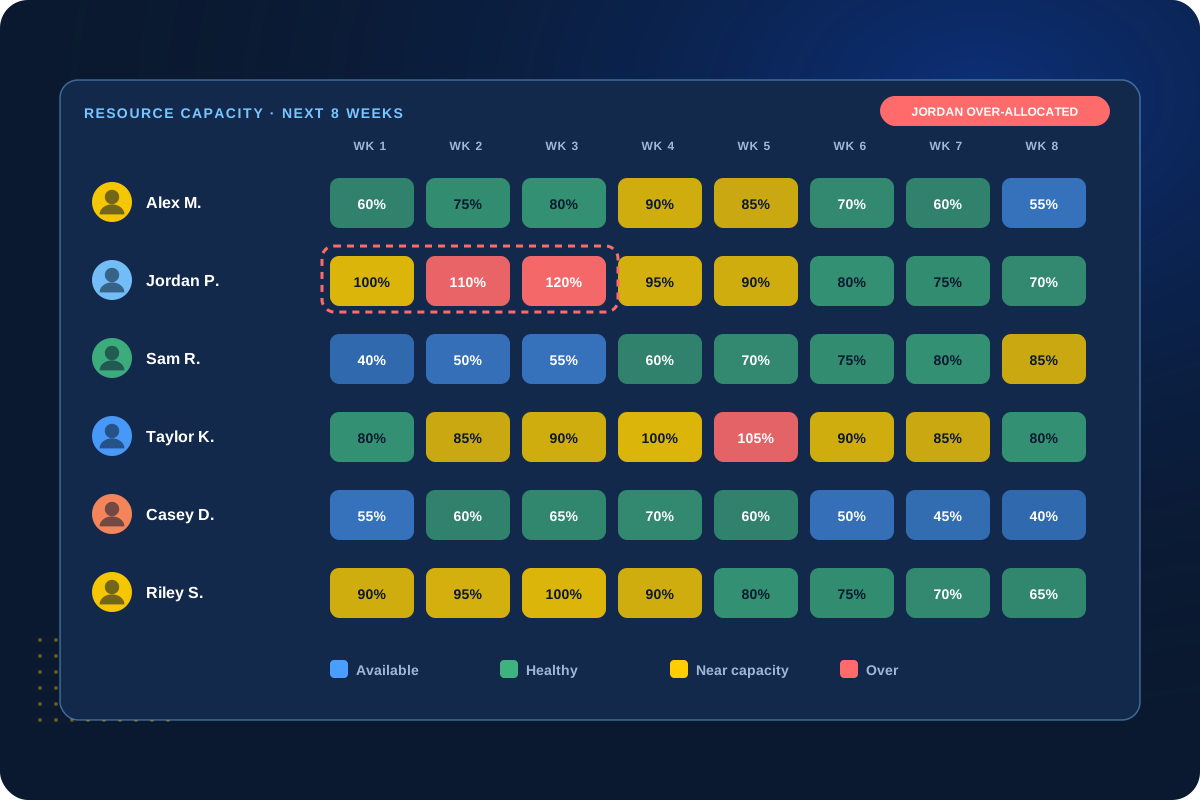
Plan people’s time across projects, see who is overloaded and forecast staffing needs before deadlines slip.
We help you choose the right level of resource planning for your team.
Capacity
Allocation
Forecasting
Staffing
04
Portfolio Reporting
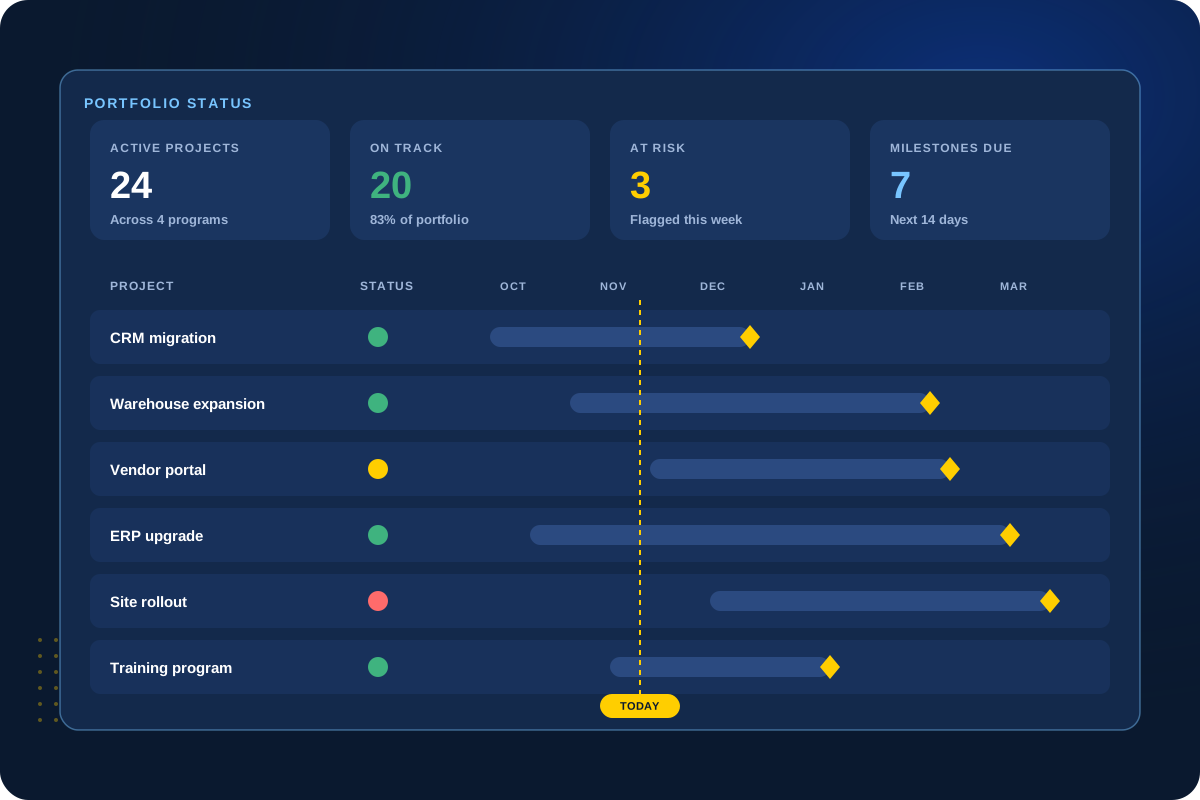
Live status for every project, in one place
Dashboards show status, risks, budgets and milestones for every project, updated as teams work.
For larger portfolios, we set up Smartsheet Control Center.
Health
Risks
Milestones
Control Center
Running dozens of similar projects?
Control Center can create and update them all from one place.
Client Perspective
What our clients say.
Real feedback from teams we have worked with.

Cat Gilbertson

Kristopher Le, PharmD.

Danielle Benford
How We Work
A clear, collaborative process.
01
Discover
Understand the current workflow, the people involved and the goals for the solution.
02
Design
Plan how the sheets, data and screens will work before the build.
03
Build & Test
Build the solution and test it against real scenarios with your team.
04
Launch & Hand Off
Go live with documentation, training and a clear plan for support.
Next Step
Let’s organize your portfolio.
Tell us how many projects you run and what leadership needs to see. We’ll recommend the right setup.